
Documentation Index

Fetch the complete documentation index at: https://docs.neuro-tech.io/llms.txt

Use this file to discover all available pages before exploring further.

Overview

Neuro-Pay authenticates requests with a company API key. Send the key in the Authorization header:
Authorization: Bearer <api_key>

How to create keys

Create API keys in: Company Admin → API keys Apikey admin screenshot Available key-management options include:
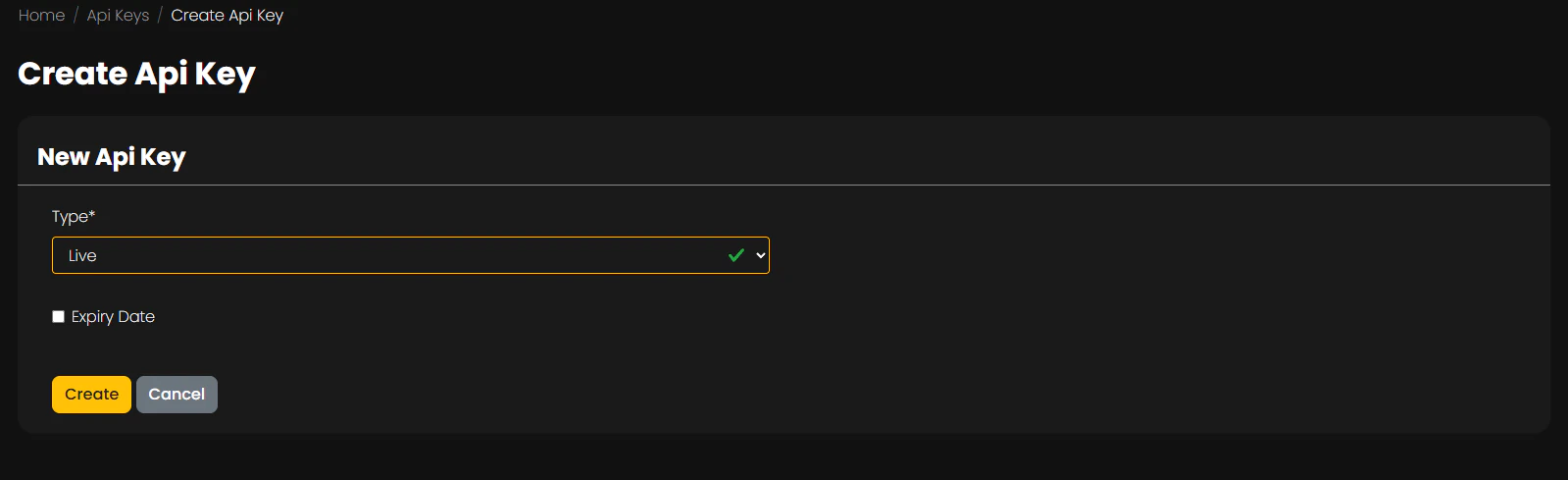
  • Test or Live key type
  • optional expiry date
  • optional allowed IPs
  • human-friendly key name

Required headers

Most requests should include:
Authorization: Bearer <api_key>
Content-Type: application/json
Accept: application/json

Error behavior

Typical responses include:
  • 403 Forbidden for missing, invalid, or expired API keys
  • 400 Bad Request for missing required parameters or invalid values

Endpoint available without an API key

The CO2 token lookup endpoint can be requested without an API key:
GET /co2-token/cid/{cid}

Example

curl -X POST https://api.neuro-admin.com/checkout/create-customer \
  -H "Authorization: Bearer $NEURO_PAY_API_KEY" \
  -H "Content-Type: application/json" \
  -d '{"first_name":"Ada","last_name":"Lovelace","email":"ada@example.com"}'